App Selection Guide
How to Choose the Best Pokemon Restock Alert App
For collectors comparing mobile alert tools on practical criteria
The DropNotify app is built to put online drops, queue alerts, SKU matches, local inventory, reminders, and alert history on your phone. Whether it is the right app for you depends on a simpler question: does it cover the retailers and products you buy without filling your lock screen with alerts you ignore?
Quick answer
Use DropNotify on iPhone or Android for TCG restock push notifications, direct product links, queue alerts, SKU subscriptions, local-stock tools, drop reminders, and alert history. Start with the retailers and products you care about, confirm alerts reach your phone, and compare free Discord access with the current Trainer+ options before upgrading.
See what DropNotify puts in an alert
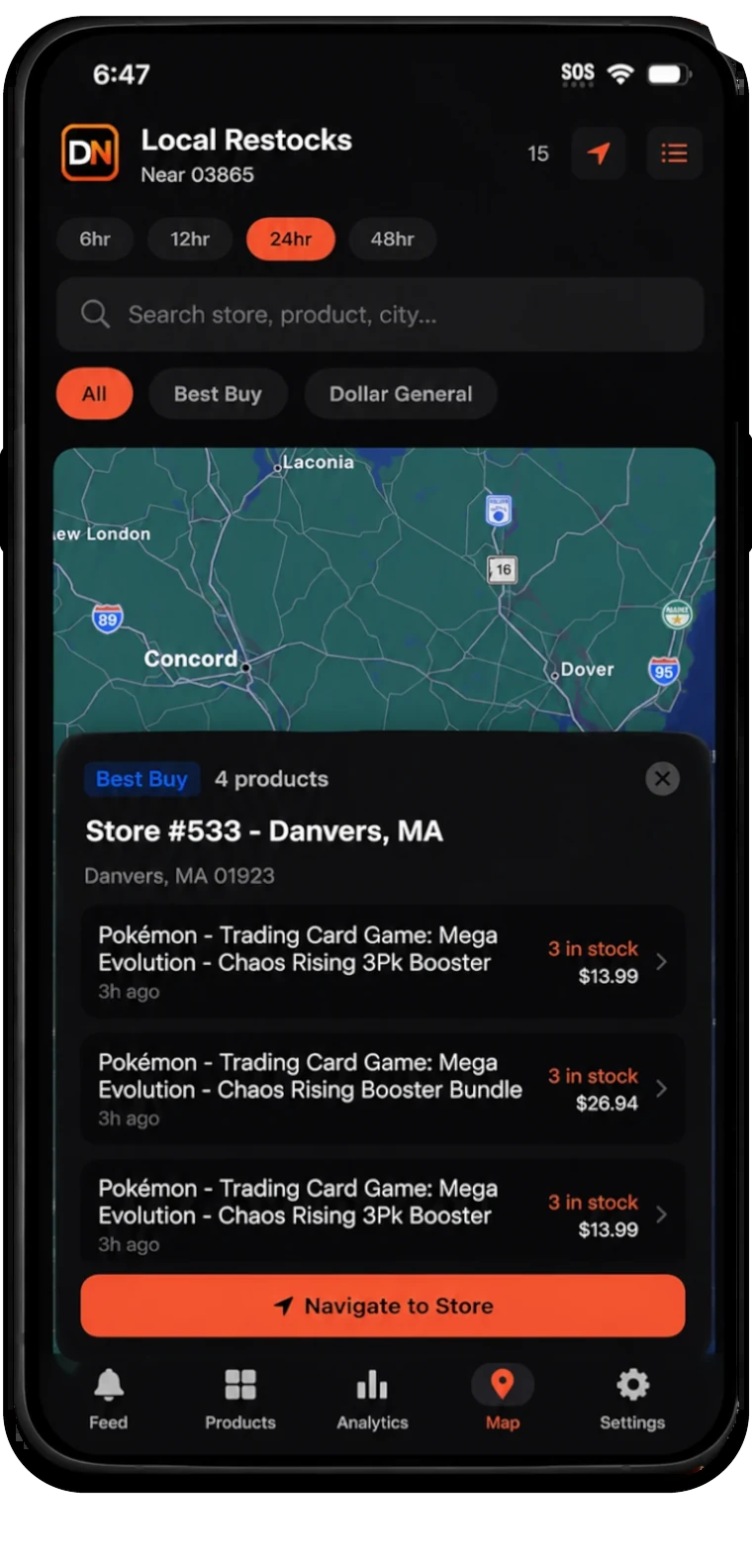
A DropNotify notification identifies the retailer, product, time, alert type, and direct link. Online drops, local inventory, queue activity, and SKU matches are presented as different kinds of alerts so you know what you are opening.
The direct link saves search time, but you should still verify the seller, price, product configuration, and fulfillment on the retailer page before buying.
Choose your DropNotify alerts
Choose the DropNotify retailers, TCG categories, products, SKUs, location, and radius that match your collection. Alert history lets you review what happened while your phone was offline or silenced instead of enabling every notification as insurance.
- SKU subscriptions for exact sealed products.
- Separate online, queue, and local-stock notification types.
- Location and radius controls with recent timestamps.
- Clear account, billing, privacy, and notification settings.
Try DropNotify on your own phone
Install DropNotify, allow notifications, review focus and battery settings, and confirm a normal alert appears while the app is in the background. Phone settings can silence even a correctly sent push notification.
DropNotify is available on iOS and Android. Review the current app features, free Discord access, and Trainer+ trial before deciding whether faster coverage and advanced tools are worth it for the products you buy.
Practical setup
A four-step workflow
Choose your DropNotify coverage
Select the retailers, products, local radius, and TCG categories you actually use.
Review the app
Check DropNotify alerts, filters, direct links, settings, and recent history before upgrading.
Test notification delivery
Confirm alerts arrive while the phone is locked, the app is in the background, and your normal focus settings are active.
Compare paid value
Judge faster or broader coverage against the products you buy, not against the total number of available channels.
Common questions
What collectors should know
What is the most important restock app feature?
Reliable delivery of relevant alerts with enough retailer, product, seller, price, location, and timestamp context for you to evaluate the opportunity.
Should a restock app promise successful checkout?
No. Retailers control inventory, queues, carts, limits, and payment. An app can improve discovery and preparation but cannot guarantee a purchase.
Does DropNotify support both iPhone and Android?
Yes. The DropNotify app is available through the Apple App Store and Google Play, with current download links on the app page.
Continue researching
Related collector guides
Pokemon Restock Alerts for Online and Local Stock
Use DropNotify for Pokemon restock alerts, exact product tracking, local inventory, and mobile notifications.
Read guideLocal Stock GuideLocal Pokemon Card Restock Tracker: Find Nearby Stock
Use the DropNotify map, radius controls, retailer filters, and timestamps to find nearby card inventory.
Read guideDiscord Alert GuideTCG Restock Discord Alerts Without Notification Overload
Set up DropNotify Discord channels, roles, and mobile notifications for the TCG alerts you want.
Read guideTry the DropNotify restock app
Review the iOS and Android app, notification controls, local tools, SKU subscriptions, and current access options.