Collector Buying Guide
How to Buy Pokemon Cards at Retail Price
For collectors building a repeatable process around retail drops
DropNotify can tell you when Pokemon products appear online or near you, but the alert should support a buying plan rather than create one. Decide what fits your collection and budget first, then use retailer alerts and SKU subscriptions to move quickly on those products without chasing every drop.
Quick answer
Choose the exact products and spending limit first, then follow those SKUs and trusted retailers in DropNotify. Prepare retailer accounts and payment details before release day. When an alert arrives, verify the seller, product configuration, price, and fulfillment, and skip any offer that does not match your plan.
Build your DropNotify watchlist before release day
Choose the product name, configuration, quantity, and maximum total you are willing to pay, then add the exact SKU in DropNotify. Similar Pokemon products can contain different pack counts, promos, or accessories, so use the image and full title to confirm the right item.
A focused DropNotify watchlist gives you permission to ignore most alerts. Skipping an unrelated product or overpriced marketplace offer protects the budget for what you actually wanted.
Prepare the retailers you follow
Create or update accounts at the retailers you follow in DropNotify. Verify delivery addresses, payment methods, passwords, and any membership requirements. During checkout, inspect the seller, shipper, condition, final price, shipping cost, and purchase limit.
- Use official retailer domains and direct product links.
- Check who sells and ships the item when marketplaces are present.
- Do not count inventory as secured until an order is confirmed.
- Keep records of cancellations, pending charges, and confirmed orders.
Use DropNotify online and local alerts differently
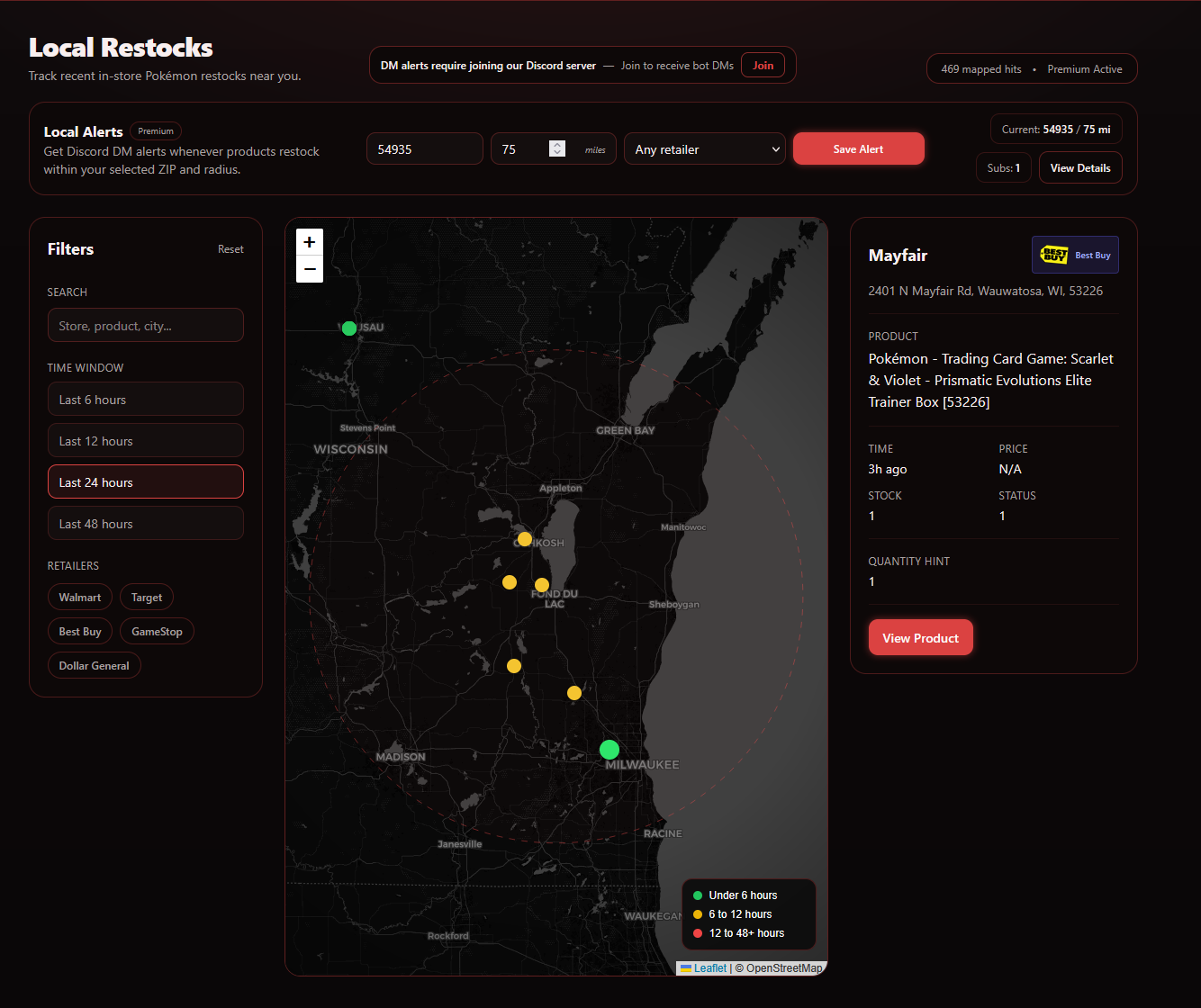
A DropNotify online alert takes you to the current retailer offer. A local alert helps you decide whether a store visit is reasonable based on timestamp, distance, and product information. Neither should override your price and product plan.
Use direct online links for checkout, the local map for nearby inventory, retailer filters for stores you trust, and SKU subscriptions for products already on your list.
Practical setup
A four-step workflow
Build a DropNotify watchlist
Choose the exact item, configuration, quantity, and maximum total, then follow the product.
Prepare retailer accounts
Verify login, address, payment, membership, and notification settings at stores you trust.
Subscribe selectively
Use DropNotify SKU alerts for must-buy products and broader feeds only for discovery.
Verify and decide
Check seller, shipper, item, price, timestamp, fulfillment, and limits before completing the order or trip.
Common questions
What collectors should know
Do restock alerts guarantee retail pricing?
No. Marketplace sellers and changing offers can appear on retailer pages. Always verify the selected seller, item, and final price.
Should I travel for every local alert?
No. Evaluate the timestamp, distance, store details, product priority, and how the trip fits your plans. Local data is a lead, not reserved stock.
What should I prepare before an online release?
Know the exact product and price limit, update retailer accounts and payment details, enable relevant alerts, and understand that queues and carts do not guarantee inventory.
Continue researching
Related collector guides
Pokemon Restock Alerts for Online and Local Stock
Use DropNotify for Pokemon restock alerts, exact product tracking, local inventory, and mobile notifications.
Read guideRetailer GuideWalmart Pokemon Card Restock Alerts: Check the Seller
Use DropNotify for Walmart Pokemon restocks, queue activity, direct product links, and SKU alerts.
Read guideRetailer GuidePokemon Center Restock and Queue Alerts
Use DropNotify for Pokemon Center queue alerts, product restocks, direct links, and mobile notifications.
Read guideBuild your DropNotify product watchlist
Follow exact products and trusted retailers instead of reacting to every available notification.